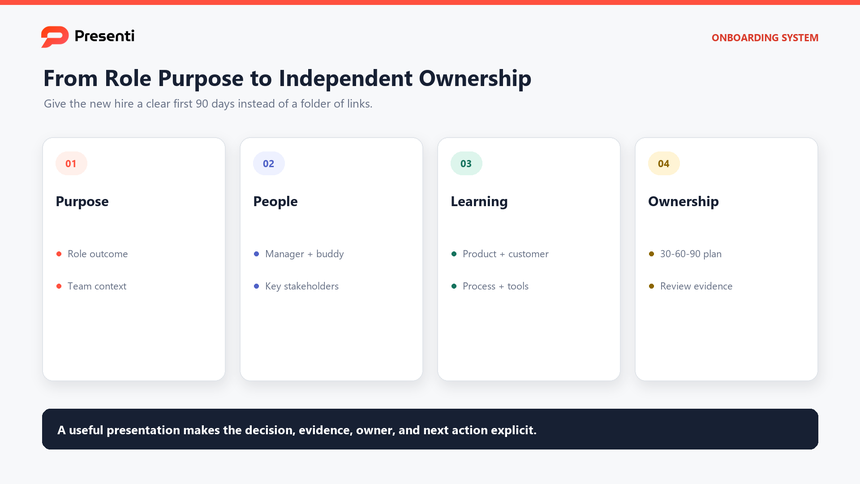
A new hire onboarding template should give a new employee a working map of the first 90 days: what matters, who to meet, what to learn, what to deliver, and how success will be reviewed. A useful onboarding presentation template does more than list HR tasks. It connects the role, the team, the business context, and the employee journey into one clear story.
This guide is for HR teams, hiring managers, team leads, and anyone responsible for an employee onboarding presentation. It also applies when a manager needs a new hire orientation presentation for a remote employee, a cross-functional role, or a fast-changing team. The deck should be reusable, but the content should be specific enough to feel written for one person.

What Should a New Hire Onboarding Presentation Accomplish?
The presentation should reduce uncertainty. A new hire needs to know where the team is going, how the role contributes, what good performance looks like, and where to go when the answer is not obvious. If the first week is only a sequence of administrative steps, the employee learns how to complete forms but not how to succeed.
Start with a one-sentence destination for the role. For example: "By day 90, the new account manager should own a defined territory, run the standard discovery process, maintain an accurate pipeline, and present a qualified opportunity review without support." That statement turns onboarding into a measurable plan.
| Onboarding question | What the presentation should show | Decision or action |
|---|---|---|
| Why does this role exist? | Team mission, business outcome, and role contribution | Connect daily work to a larger result |
| Who matters? | Manager, buddy, mentor, stakeholders, and subject experts | Schedule the right first meetings |
| What should be learned? | Products, customers, systems, process, and language | Prioritize knowledge by day 30, 60, and 90 |
| How will progress be judged? | Milestones, feedback loops, and review dates | Adjust support before the review becomes a surprise |
Keep the presentation honest about what is still changing. If the team is reorganizing, a system is being replaced, or the role will evolve after the first quarter, say so. A new hire can handle uncertainty when the current expectations, decision owners, and review points are visible.
Which Slides Belong in a New Hire Onboarding Deck?
Most new hires do not need a 60-slide orientation deck. They need a short core presentation with clear entry points and an appendix for reference material. Ten to twelve core slides are usually enough for the first week, with links to the systems and documents that will be used later.
Use this new hire onboarding template to keep the first-week experience focused while preserving a complete appendix for later reference.
- Welcome and purpose. Explain why the role exists and what the new hire will be able to do by day 90.
- Team and business context. Show the team structure, customers, priorities, and how the role fits.
- First-week agenda. List the orientation sessions, setup tasks, introductions, and first deliverable.
- People map. Name the manager, buddy, mentor, and key stakeholders, with the reason to meet each person.
- Tools and access. Explain the systems, accounts, security expectations, and where to get help.
- Learning path. Group product, customer, process, and role knowledge into a sequence.
- 30-60-90 plan. Define expected outcomes, evidence, and review dates for each phase.
- Ways of working. Cover meetings, communication, documentation, quality, and decision rights.
- Feedback and support. Explain check-ins, questions, escalation, and how feedback will be used.
- Success measures. Show how the manager and new hire will judge progress.
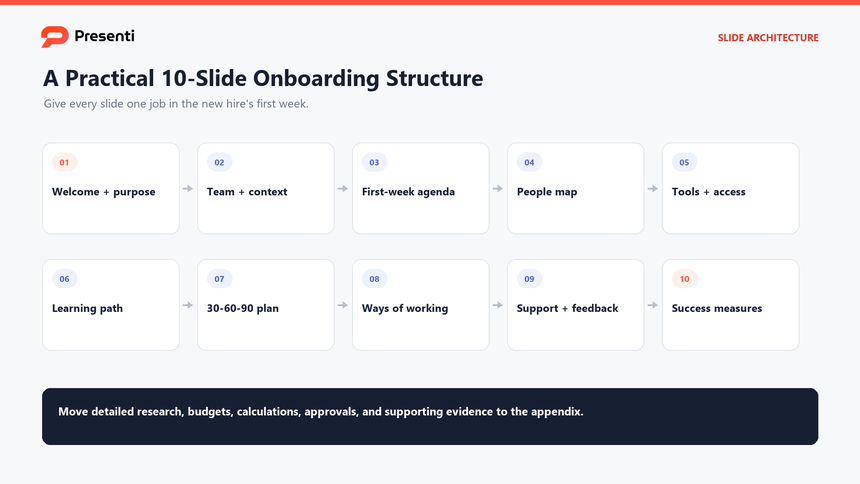
Use the appendix for benefits, policy detail, org charts, system screenshots, reference links, and long process documentation. This keeps the main onboarding presentation template focused on the decisions and relationships that matter in the first week, while still giving the employee a complete reference set. Where a rule needs to be taught rather than stored, use a separate policy presentation to explain the required action and exceptions.
How Do You Build a 30-60-90 Day Plan?
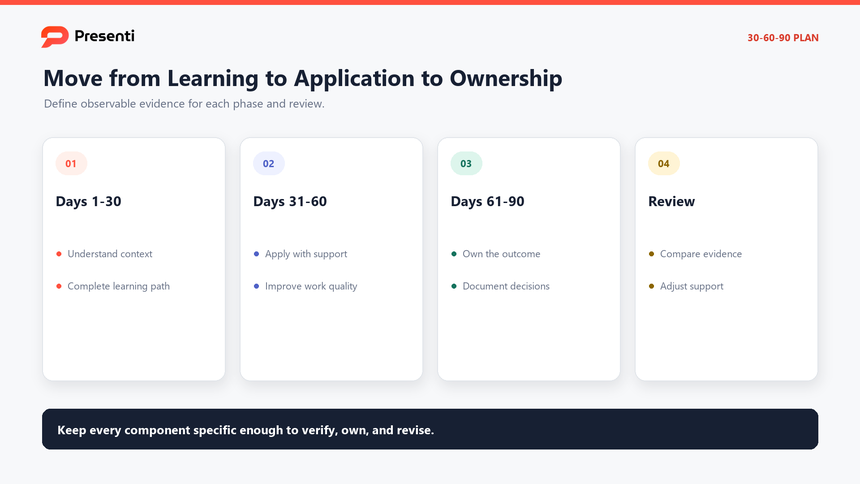
A 30-60-90 plan should describe increasing ownership, not three identical lists of tasks. The first month is about context and relationships. The second month is about applying the context with support. The third month focuses on greater ownership and a clear review. Adapt these stages to the role: complex responsibilities may require a longer period of supervised practice.
Days 1-30: Learn the system
Define what the new hire must understand about the customer, product, process, team, and performance standard. Set a small number of observable outcomes, such as completing a customer call shadowing rotation, explaining the core workflow, or delivering a first draft with review notes.
Days 31-60: Apply the learning
Increase responsibility. The employee should begin running parts of the workflow, making recommendations, and receiving feedback on the quality of the work. Keep the manager involved in prioritization and exception handling.
Days 61-90: Own the outcome
Name the result the employee should own, the decisions they can make, and the support they still need. A good 90-day review separates effort from outcome and identifies what will change next quarter.
| Phase | Primary question | Expected evidence | Review action |
|---|---|---|---|
| Days 1-30 | Do you understand the context? | Notes, questions, completed learning path, first small deliverable | Clarify gaps and remove access blockers |
| Days 31-60 | Can you apply the work with support? | Reviewed work sample, feedback, improved cycle time | Adjust scope and coaching |
| Days 61-90 | Can you own the outcome? | Measurable result, stakeholder feedback, documented decisions | Confirm ownership and set the next development goal |
Who Owns Onboarding, and What Should Be Measured?
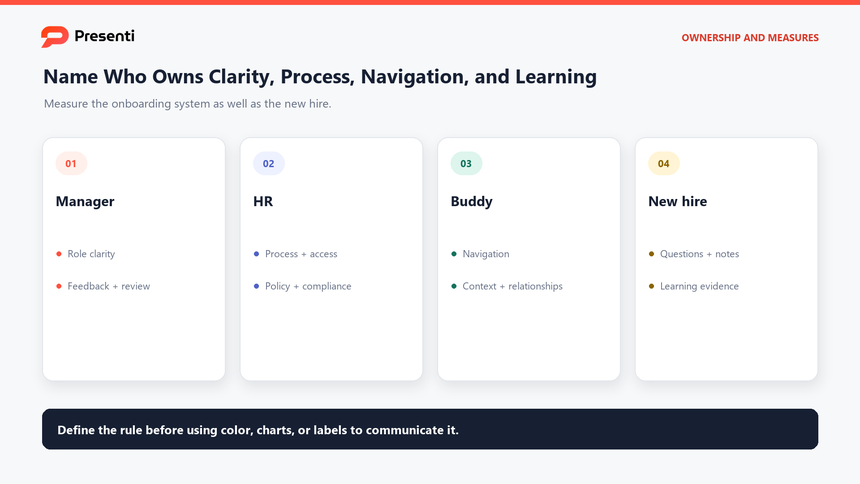
Onboarding fails when everyone assumes someone else is responsible for the new hire. The manager owns the role outcomes, HR owns the process and compliance, the buddy supports day-to-day navigation, and the new hire owns active participation and honest feedback. Put those responsibilities on one slide instead of leaving them implied.
| Role | Primary responsibility | What good looks like |
|---|---|---|
| Hiring manager | Role clarity, priorities, feedback, and 30-60-90 review | The new hire knows what to do next and how progress is judged |
| HR or people team | Process, access, policy, compliance, and support | Setup is complete and questions have a clear route |
| Buddy or mentor | Navigation, context, relationships, and practical questions | The new hire can find answers without overloading the manager |
| New hire | Preparation, curiosity, feedback, and ownership of learning | Questions, notes, and progress evidence are visible |
Measure the system as well as the person. Useful signals include time to complete access setup, time to first meaningful contribution, confidence after the first month, clarity of role expectations, and whether the manager and new hire agree on progress. Avoid relying on attendance at orientation sessions as the only measure of onboarding quality.
What Does a Practical Onboarding Example Look Like?
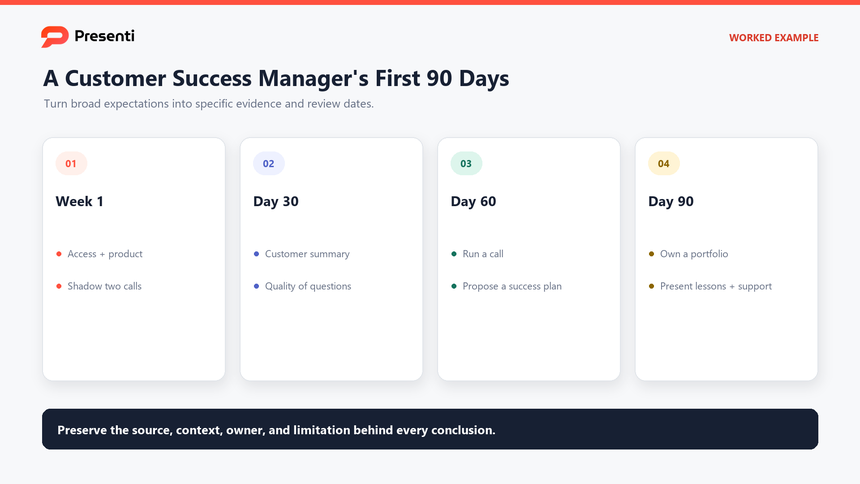
Consider a new customer success manager joining a 40-person SaaS company. The role needs product knowledge, customer context, internal workflow, and independent account ownership. The onboarding deck can frame the first 90 days around four outcomes: understand the customer base, learn the product and support process, run a standard customer conversation, and own a small account portfolio with review.
The first week includes access setup, product training, shadowing two calls, meeting the sales and support partners, and completing a customer-segment summary. By day 30, the manager reviews the summary and the quality of questions. By day 60, the new hire runs a customer call and proposes a success plan. By day 90, the new hire owns a defined portfolio and presents what they learned, what they changed, and what support is still needed.
The example should stay editable. Change the role, customer, product, or timeline and the structure should still work. That is the difference between a reusable onboarding template and a one-time slide deck that becomes outdated immediately.
How Can Presenti Turn an Onboarding Brief into an Editable Deck?
Once the manager has the role outcome, people map, learning path, and 30-60-90 expectations, Presenti can organize the material into an editable first draft. Use text to presentation when the input is a written onboarding brief, or upload a Word, PDF, or Markdown file when the plan already exists in a document.
The tool can structure the first draft and provide a visual starting point, but it cannot decide what a new hire should own, confirm access requirements, or replace a manager's judgment. Prepare the content before generating so the deck does not become a generic orientation script.
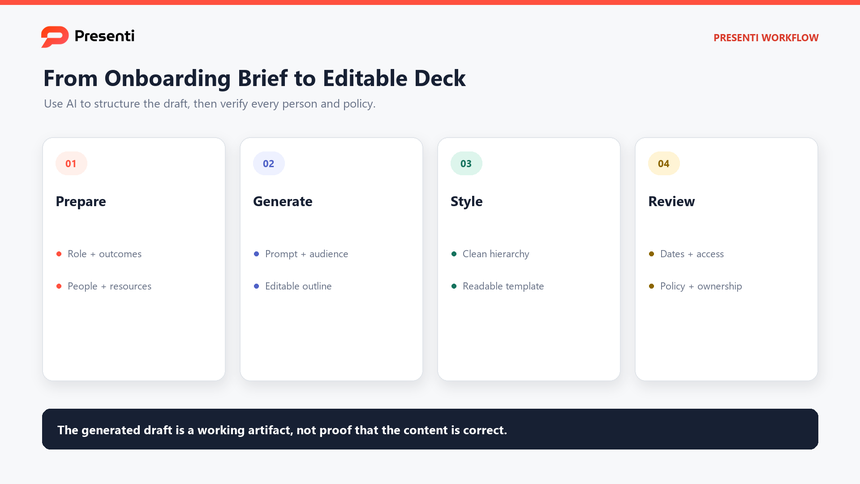
Step 1: Prepare a role-specific onboarding brief
Include the role, team, business context, manager, buddy, key stakeholders, first-week logistics, learning priorities, 30-60-90 outcomes, and review dates. Remove sensitive employee data and unapproved policy claims.
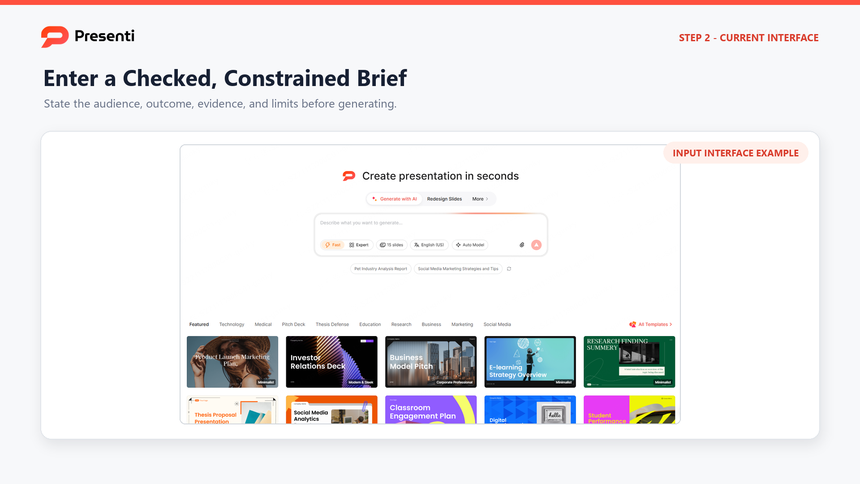
Step 2: Enter a constrained prompt
Use a prompt such as:
Create a 10-slide new hire onboarding presentation for a customer success manager joining a 40-person SaaS company. Include the role purpose, team context, first-week agenda, people map, systems and access, product and customer learning path, 30-60-90 day milestones, ways of working, support model, and review criteria. Use placeholders for policy or access details that require HR confirmation. Do not invent benefits, security requirements, or performance claims.
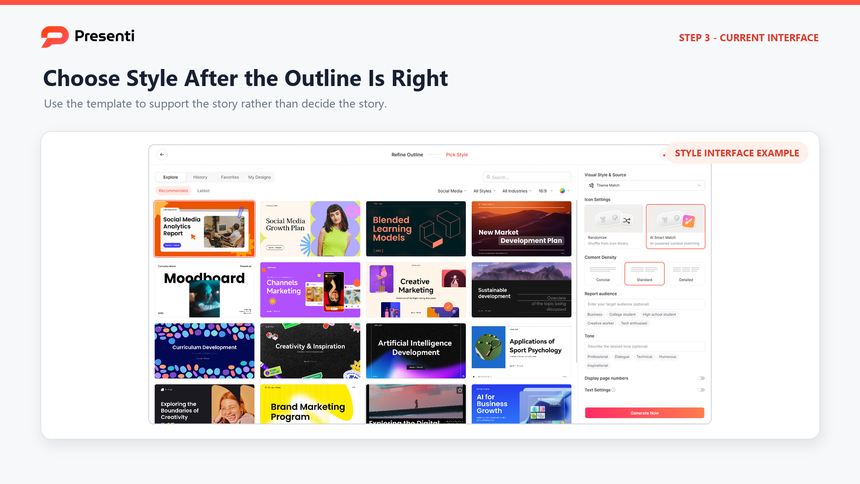
Step 3: Review the outline, then choose a template
Check that the sequence moves from purpose to people, learning, expectations, and review. Remove generic company-history slides, combine repeated policy slides, and add a clear first-week action page if it is missing. Then open the Presenti template center, preview a clean business or education template, and apply it to the draft.
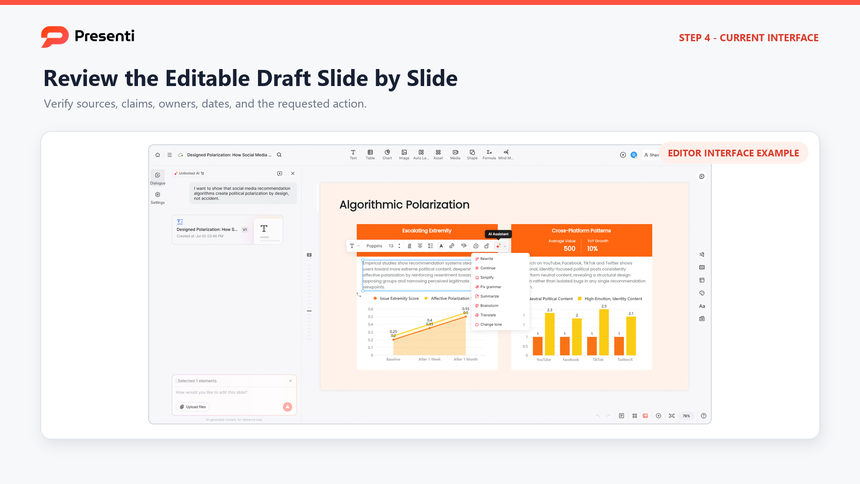
Step 4: Verify the editable deck
Check every person, date, access instruction, policy statement, and milestone against the approved source. Replace placeholder text, confirm that the new hire can find the referenced resources, and decide which slides belong in the first-week meeting versus the appendix.
The finished deck should make the new hire's first 90 days easier to understand and easier to review. It should not replace the conversations that build trust.
Frequently Asked Questions
What should a new hire onboarding presentation include?
Include the role purpose, team context, first-week agenda, people map, systems and access, learning path, 30-60-90 day expectations, ways of working, support model, and review criteria. Keep policy details and long reference material in an appendix.
How many slides should an onboarding deck have?
Ten to twelve core slides are usually enough for the first-week presentation. Add an appendix for benefits, policies, org charts, system instructions, and role-specific references.
What is the difference between onboarding and orientation?
Orientation usually covers the first day or first week: welcome, logistics, policies, systems, and introductions. Onboarding is the longer process of helping the employee understand the role, build relationships, apply the work, and reach independent ownership.
Who should present the onboarding deck?
The hiring manager should own role expectations and the 30-60-90 plan. HR or the people team should cover process and compliance. A buddy or mentor can explain day-to-day navigation, but the manager remains accountable for clarity and feedback.
How should onboarding success be measured?
Measure access completion, time to first meaningful contribution, role clarity, confidence, quality of early work, and agreement between the manager and new hire about progress. Review the onboarding process separately from the employee's performance.
Bottom Line
A strong new hire onboarding template turns the first 90 days into a clear operating plan. State the role outcome, map the people and resources, sequence the learning, define 30-60-90 expectations, and review progress against evidence. Use an onboarding presentation template to make the plan visible, but keep the manager's feedback, HR verification, and the new hire's questions at the center of the process.