If you've never built a presentation before, the topic isn't actually the hard part — it's everything around it. What software to use, how many slides is normal, whether you need fancy transitions, how to not just read the slides out loud. This guide covers all of that, plus a short list of genuinely easy topics to practice on. If the terminology is new as well, start with the basics of PPT files and slide content for an introduction to the file types and elements used in a deck.
The goal here isn't to overwhelm a first-timer with 100 topic ideas — it's to get you from "I've never done this" to "I have a simple, solid presentation" as directly as possible, including how to build it fast with Presenti AI. Once your notes are organized, the text-to-presentation workflow offers a way to turn that material into an editable slide draft.
Start Here: What a Beginner Actually Needs to Know
A few things that make everything else in this guide easier, before touching a single slide:
- You don't need many slides. A first presentation can be 5–8 slides and still be completely effective. More slides isn't more impressive — it's usually just more to manage.
- One idea per slide. If you're not sure whether something belongs on its own slide, it probably does. Cramming several unrelated points onto one slide can make them harder to follow.
- Text is a prompt, not a script. Slides should remind you what to say, not contain everything you're going to say word for word. If your slide is a script, you'll end up reading it instead of talking to your audience.
- Design matters less than you think at first. A clean, simple layout with one consistent style beats a slide with five fonts and three colors, every time. Consistency, not complexity, is what makes a beginner deck look put-together.
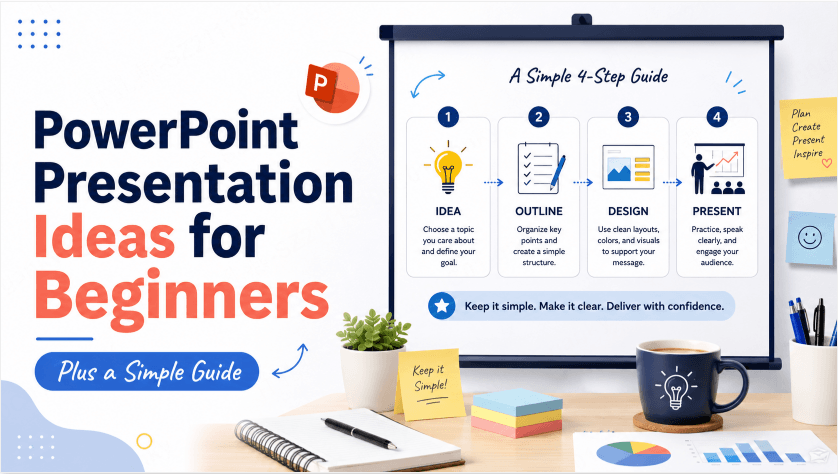
A Simple Structure for a First Presentation
- Title slide — your topic and your name. Nothing more needed.
- The hook — one sentence or fact that makes people want to keep listening.
- 2–4 main points — the actual content, one idea per slide.
- A visual — at least one image, chart, or diagram somewhere in the deck.
- A closing slide — a one-line summary of your main point, so people remember the takeaway.
That's it — five parts, roughly 6–8 slides, and it works whether you're presenting for school, work, or just practicing. Adapt it to your topic, time limit, and assignment requirements. If your assignment requires research, an experiment, or something you build, choose from school project ideas organized by assignment type so the deck can explain your process and findings.
20 Easy First Presentation Ideas to Practice On
These are deliberately simple — the goal for a first presentation is building the habit and structure, not tackling something ambitious.
- My favorite hobby and why I got into it
- A place I'd love to travel to and why
- A skill I want to learn this year
- My morning routine, step by step
- A book or show I'd recommend and why
- A simple recipe I actually know how to make
- Three tips for something I'm genuinely good at
- A goal I'm working toward right now
- My favorite season and what I like about it
- A tool or app that's made my life easier
- A short introduction to myself, for a new group
- A local place I love and why more people should know about it
- My pet, or a pet I'd love to have
- A simple comparison: two things I like, side by side
- A weekend trip I've taken or want to take
- Something I changed my mind about recently
- A short walkthrough of a hobby project I've worked on
- Three things I wish I'd known a year ago
- My favorite meal and the story behind it
- A simple explainer of something I understand well and others might not
Common Beginner Mistakes (and Easy Fixes)
| Mistake | Fix |
|---|---|
| Too much text on one slide | Split it into two slides, or cut it down to a phrase instead of a sentence |
| Reading straight off the slide | Write only key words on the slide, and say the full sentence out loud instead |
| No visuals anywhere | Add at least one image or simple chart — even a basic one breaks up the text and helps people follow along |
| Inconsistent fonts or colors | Pick one font and one or two colors, and stick with them across every slide |
| No clear ending | Add a one-line closing slide that states your main takeaway plainly |
Build Your First Deck With Presenti AI
An AI-generated draft can help you see one possible arrangement of your ideas. With Presenti AI, describe the audience, topic, and key points, then check the proposed structure before building the slides.
Topic: "My favorite hobby and why I got into it"
Key points: - What the hobby is and how I first tried it - What keeps me coming back to it - A specific moment or project I'm proud of - What I'd tell someone thinking about trying it
Type in a topic and a few points — or just the topic alone, and let it draft the points for you — and ask Presenti AI to use the structure above. Check the draft for missing or invented details. Editable PPTX export is listed on paid plans; inspect the file after opening it in PowerPoint or importing it into Google Slides.
Presenti AI offers limited free AI credits. Try a familiar topic, inspect the proposed outline, and revise the slides until they say what you mean.
Ready for More Specific Topics?
Once you're comfortable with the basics, these guides go deeper on ideas for specific situations.
Frequently Asked Questions
How many slides should a beginner's first presentation have?
5–8 slides is a solid target. It's enough to cover a title, a hook, a few main points, a visual, and a closing slide — the full structure — without becoming overwhelming to plan or present.
Do I need design experience to make a good presentation?
No. Consistency matters far more than design skill — one font, one or two colors, and a clean layout applied the same way across every slide will look more put-together than an elaborate design used inconsistently. Tools like Presenti AI also apply a consistent design automatically, but you should still check readability, contrast, and the placement of text and images.
Should I write full sentences on my slides?
Generally no — short phrases work better as prompts for what you'll say out loud. Full sentences on a slide tend to turn into a script you read rather than a presentation you actually deliver.
What's the easiest way to actually build my first deck?
Pick a simple, familiar topic — something from the list above works well — and either follow the five-part structure manually, or type the topic into a tool like Presenti AI to see a properly structured draft generated automatically, which you can then edit and make your own.
The Bottom Line
A first presentation doesn't need to be impressive — it needs to be clear. Pick a simple topic you already know well, follow the five-part structure (title, hook, main points, a visual, a close), and keep it to one idea per slide. Everything else — confidence, better topics, more polish — comes with the next one, and the one after that.