If you’ve searched for HTML PPT skill, you’ve probably hit the same wall: you know how to build for the web, but the moment you open PowerPoint or Keynote, it feels like stepping backward. Rigid animations, clunky layouts, no real way to embed live data — these frustrations are pushing more developers, technical product managers, and engineers to ask a simple question: why can’t my slides work like a webpage?
This guide answers that question. You’ll learn exactly what HTML PPT skill means, why the demand for it is growing fast, and 3 concrete methods you can start using today.
What Is HTML PPT Skill?
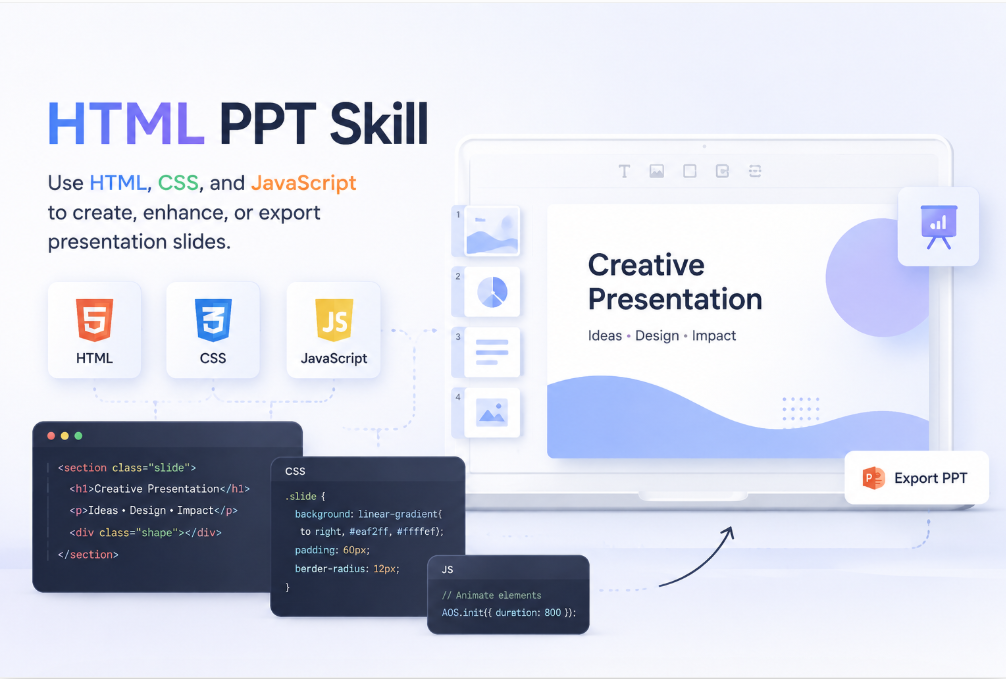
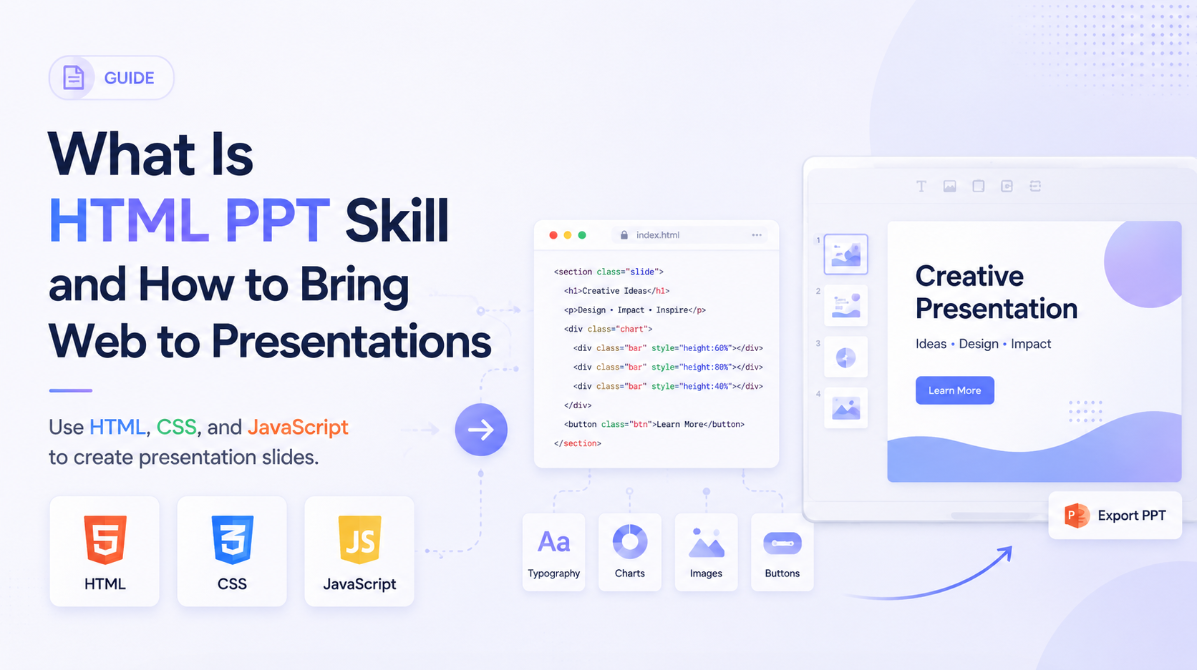
HTML PPT skill refers to the ability to use HTML, CSS, and JavaScript — the core building blocks of the web — to create, enhance, or export presentation slides. Instead of relying on traditional slide software, you apply the same logic and tooling you already use to build web pages, but directed at making presentations.
In practice, this skill operates across a few distinct layers:
- Layout and styling: Use HTML and CSS to control slide structure using familiar web layout controls
- Interactivity: Add JavaScript-powered transitions, live charts, embedded demos, or real-time data feeds directly inside your slides
- Frameworks: Use purpose-built tools like Reveal.js or Slidev to handle the presentation mechanics — navigation, full-screen mode, PDF export — while you focus on content
- Output flexibility: Use a supported export or conversion route when a PDF or PPTX is required. JavaScript interactions and live data behavior generally need a separate static representation; do not assume they transfer into a conventional slide file
For developers and technical PMs, HTML PPT skill isn’t just a workaround. It’s a fundamentally different way to think about presentations — one where content lives in plain text, styles are reusable, and version control works the way it always does.
Why HTML Skills Are Transforming Presentations
Traditional presentation tools were designed for the average office worker. That’s not a criticism — it’s a design decision. But it means that once your content gets technical, those tools start working against you.
Here’s what’s driving the shift toward web-based slides.
Remote-first communication changed the medium. More presentations happen inside a browser now — shared over Zoom, sent as a link, viewed asynchronously by a client halfway around the world. An HTML presentation is already a webpage. There’s nothing to convert, but browser support, fonts, network access, and permissions still need testing.
Technical content demands technical tools. Try embedding a live API response inside a PowerPoint. Try showing a syntax-highlighted, interactive code block. Try building a chart that updates from a real data source. Web slides can use JavaScript and components for these tasks, although data access, security, and setup still require work. Traditional editors may use different integrations or embedded content.
Plain-text and Markdown workflows are mainstream. A growing number of engineers and product managers write documentation in Markdown — it’s fast, portable, and version-control friendly. Tools like Marp and Slidev take Markdown files and produce fully rendered HTML presentations, fitting naturally into the workflows these users already have.
According to the Stack Overflow Developer Survey, HTML and CSS have consistently ranked among the most widely used technologies across all developer profiles. It follows naturally that people fluent in these tools would want to extend that fluency into the way they communicate ideas.
There’s no single “right” path here. The best approach depends on your technical background, how much control you need, and how quickly you need to move.
HTML PPT Studio: AgentSkill for AI-Generated HTML Presentations
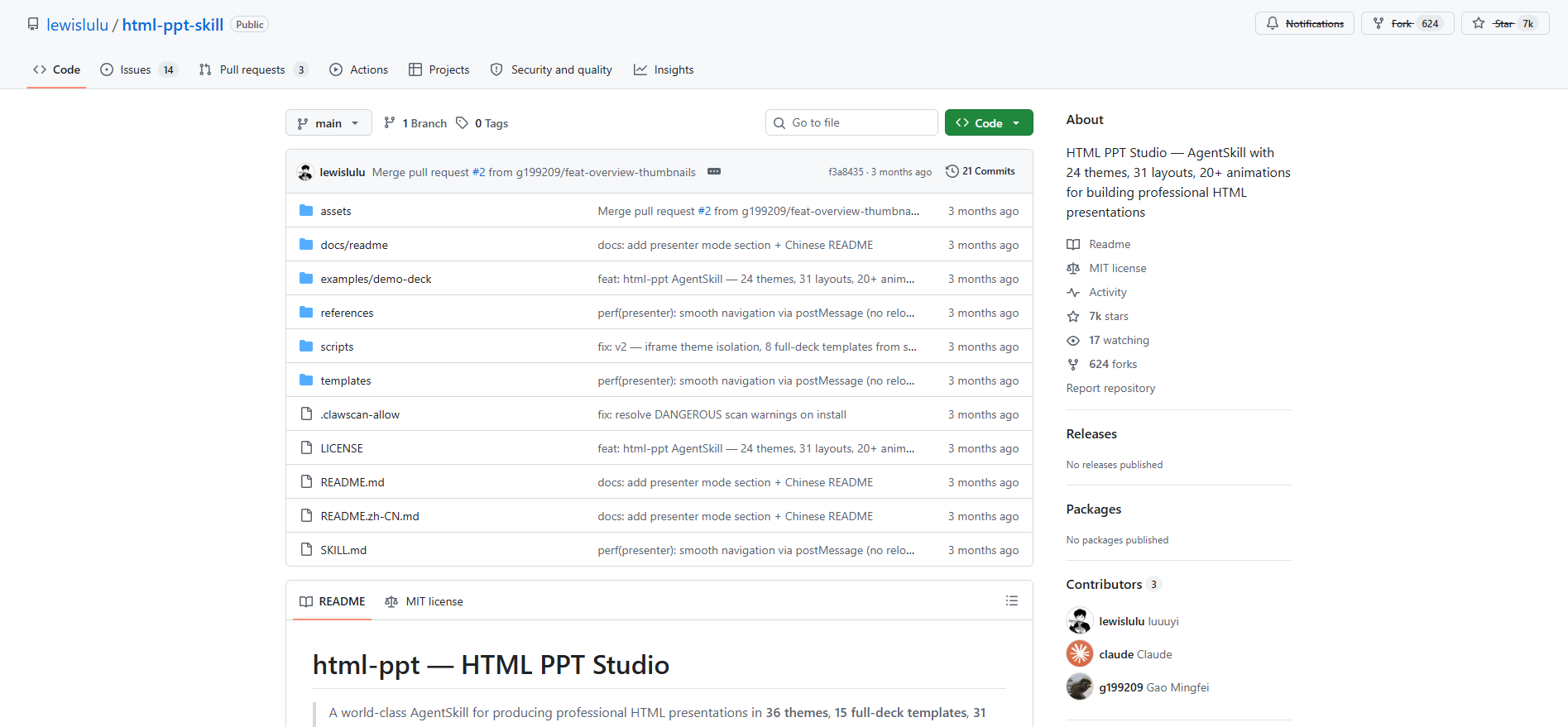
If you want to push HTML PPT skill further into the AI era, HTML PPT Studio is worth a close look. The MIT-licensed project at lewislulu/html-ppt-skill provides an agent-oriented workflow and HTML presentation templates. Review the repository instructions and generated output before using it in a production workflow.
The repository includes:
- Themes spanning different visual styles
- Layouts for title cards, content grids, comparisons, full-bleed visuals, and other slide structures
- Animation and effects examples to evaluate for the audience and device
What makes it a genuinely different option compared to Reveal.js or Marp is the AgentSkill architecture. Rather than a tool you operate manually, HTML PPT Studio is built to be invoked by an AI pipeline. You feed it a topic, an outline, or structured content, and it outputs a fully themed, animated HTML presentation — no hand-coding required on the slide level. The collection includes a Reveal-based presenter-mode template, but that does not establish blanket drop-in compatibility with Reveal.js projects. The static HTML/CSS/JavaScript templates do not require a build; some use external fonts or CDN resources.
For developers building AI presentation workflows, content automation pipelines, or agent-driven tooling, this fills a gap that other frameworks simply weren’t designed for.
Best for: Developers and AI engineers who want to integrate HTML presentation generation directly into an automated or agent-driven workflow.
Reveal.js or Slidev: Use an HTML Presentation Framework
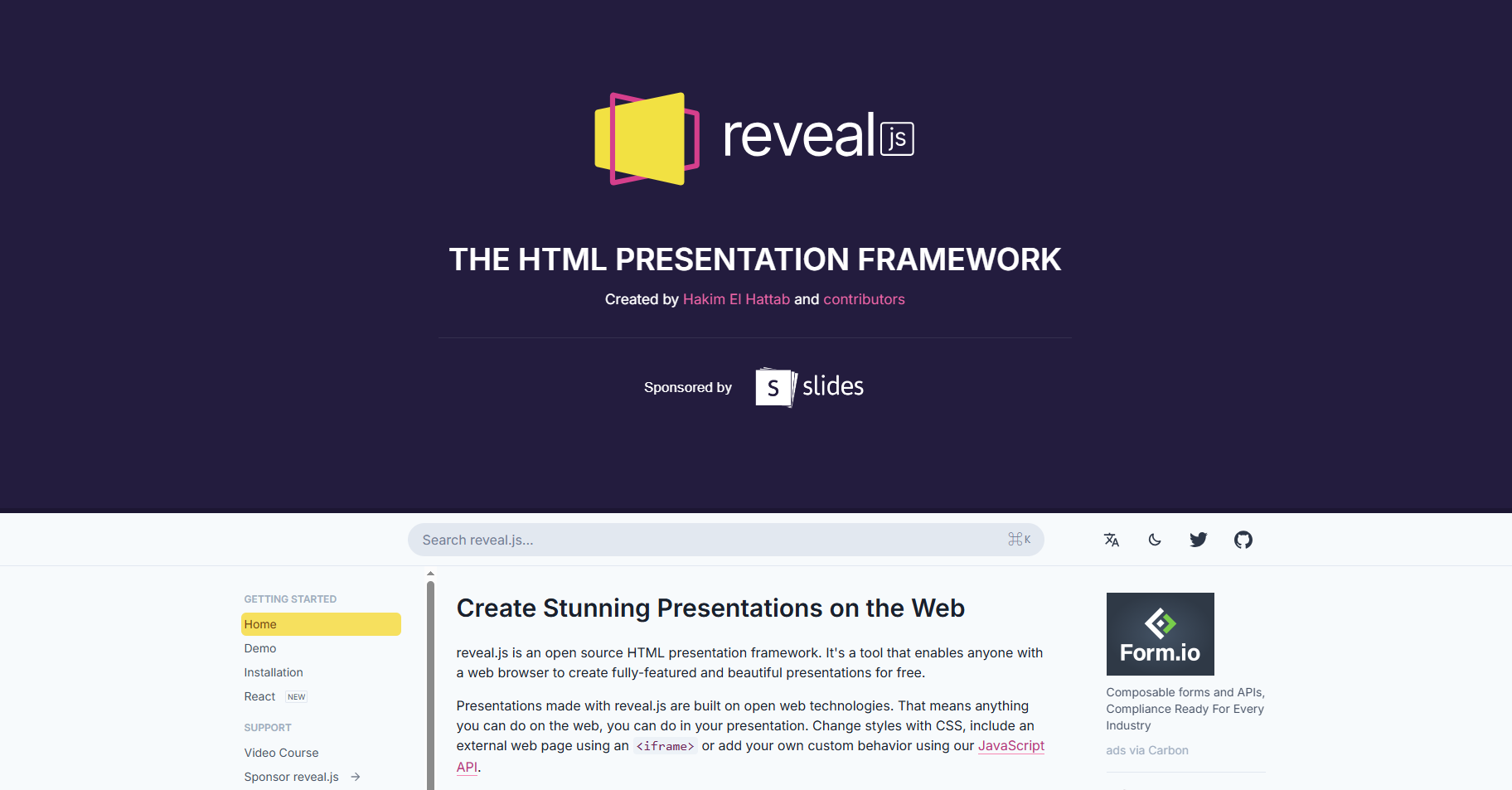
Reveal.js is the most established open-source HTML presentation framework available. You write each slide in HTML, and the framework handles transitions, speaker notes, full-screen display, and PDF export. It’s used by thousands of projects on GitHub, from conference talks to product demos.
Slidev takes a more developer-native approach. Built on Vue.js, it lets you write slides in Markdown with embedded code blocks that actually run, live component previews, and one-click PDF export. If you’re already comfortable with a modern JavaScript stack, Slidev feels like a natural extension of your existing tools.
Best for: Developers who need full visual control and are comfortable working in code.
Presenti AI: Use the Markdown to Presentation AI Converter
If you already write in Markdown — documentation, README files, meeting notes, technical specs — you’re closer to a finished presentation than you might think. Presenti accepts Markdown files directly and converts them into fully designed, professional slide decks using AI. No CSS to configure. No theme files to manage. Review the generated outline and slide design before delivery.
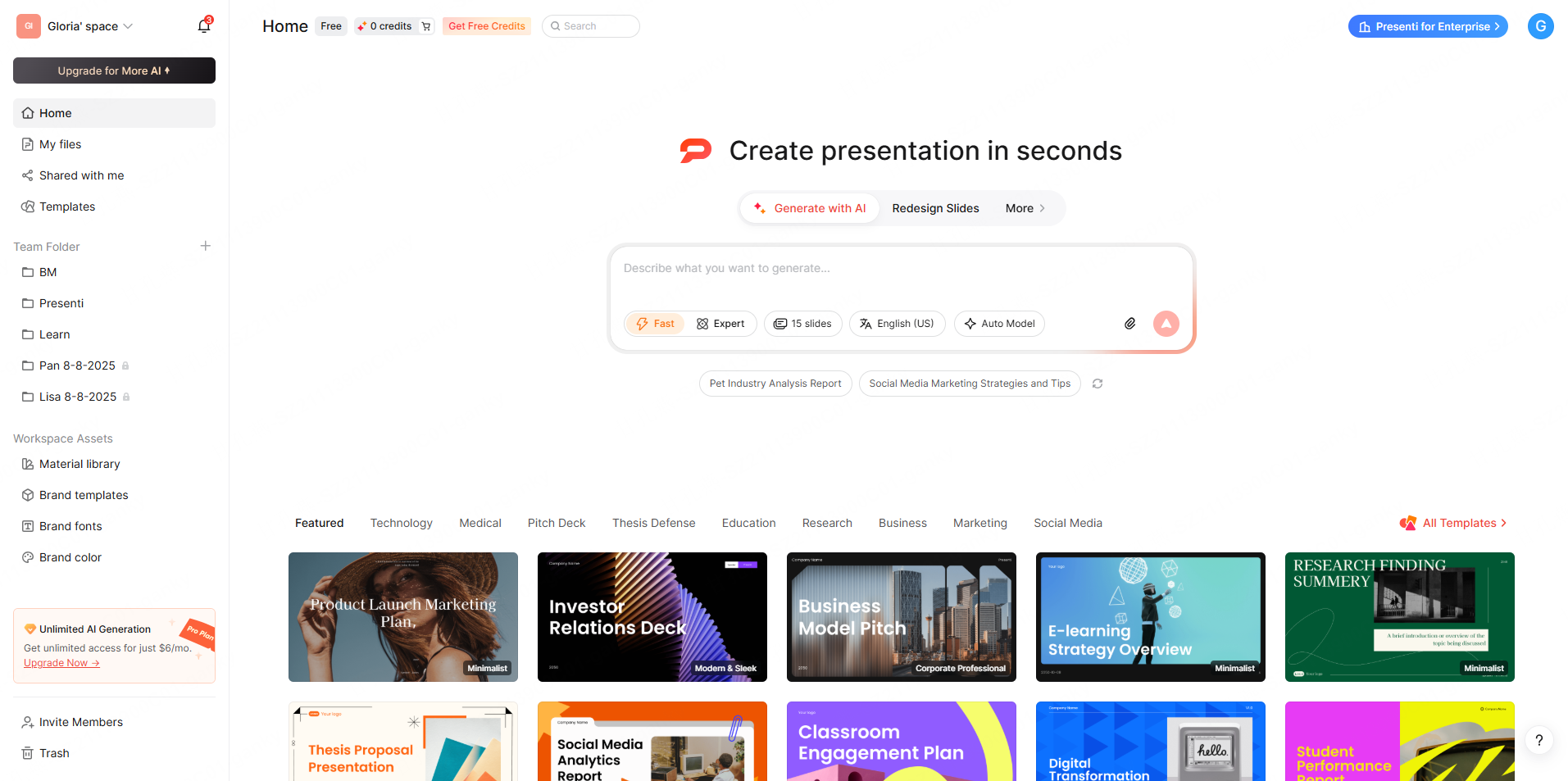
This is where HTML PPT skill meets a genuinely different level of speed. You keep your Markdown-first workflow. Presenti handles everything else.
How to import your Markdown file into Presenti — Step by Step
Step 1: Prepare your Markdown file.
Structure your content using standard Markdown headings. Use headings, bullets, and numbered lists to express the structure. Inspect how the AI maps them into its outline rather than assuming a deterministic one-heading-to-one-slide conversion. You don’t need to add any special syntax or front matter.
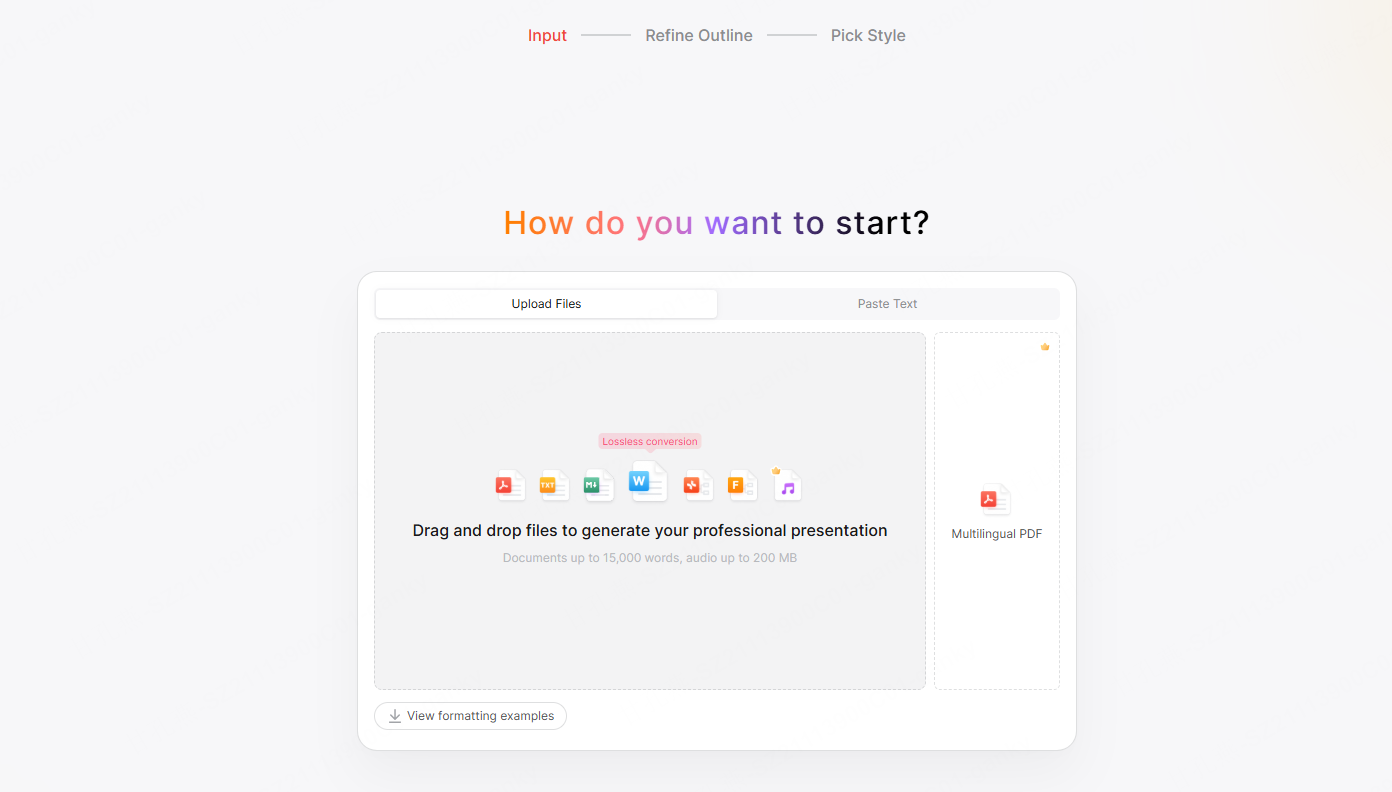
Step 2: Open Presenti and choose “Import file”
Go to presenti.ai and start a new project. Select the Import file option and drag and drop your .md file directly onto the upload area, or click to browse and select it from your file system.
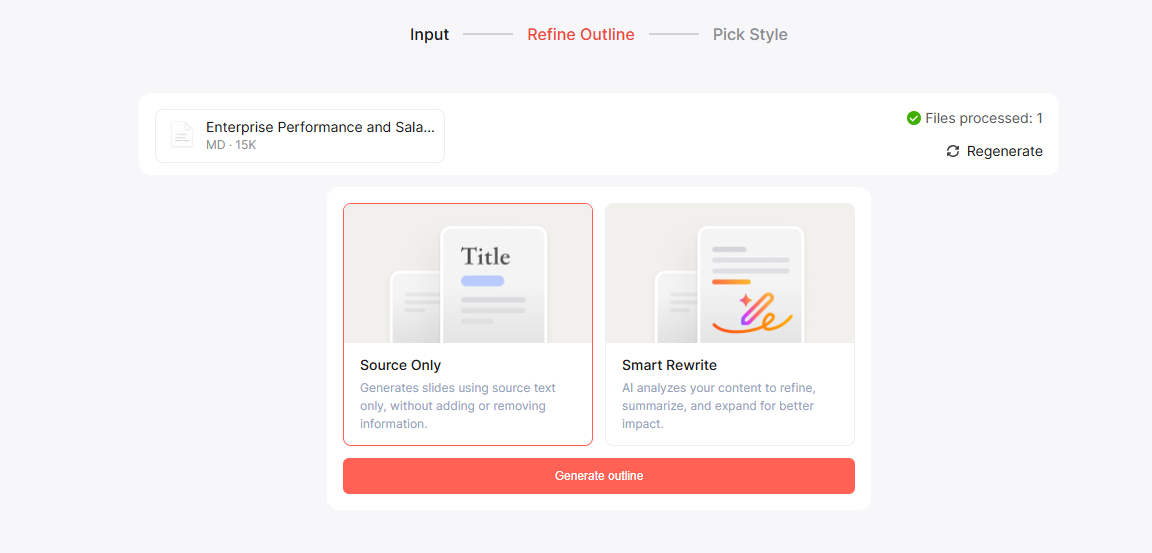
Step 3: Choose how the AI generates your outline.
Before Presenti builds your deck, it asks one question: how should it handle your content? You’ll see two options — Source Only and Smart Rewrite — and the choice shapes everything that follows.
Once you pick an option, Presenti generates the full outline. Slides are distributed logically — one idea per slide, clear visual hierarchy, balanced text density. The outline appears before any design is applied, so you can review the structure, reorder sections, or cut slides before committing to the final deck.
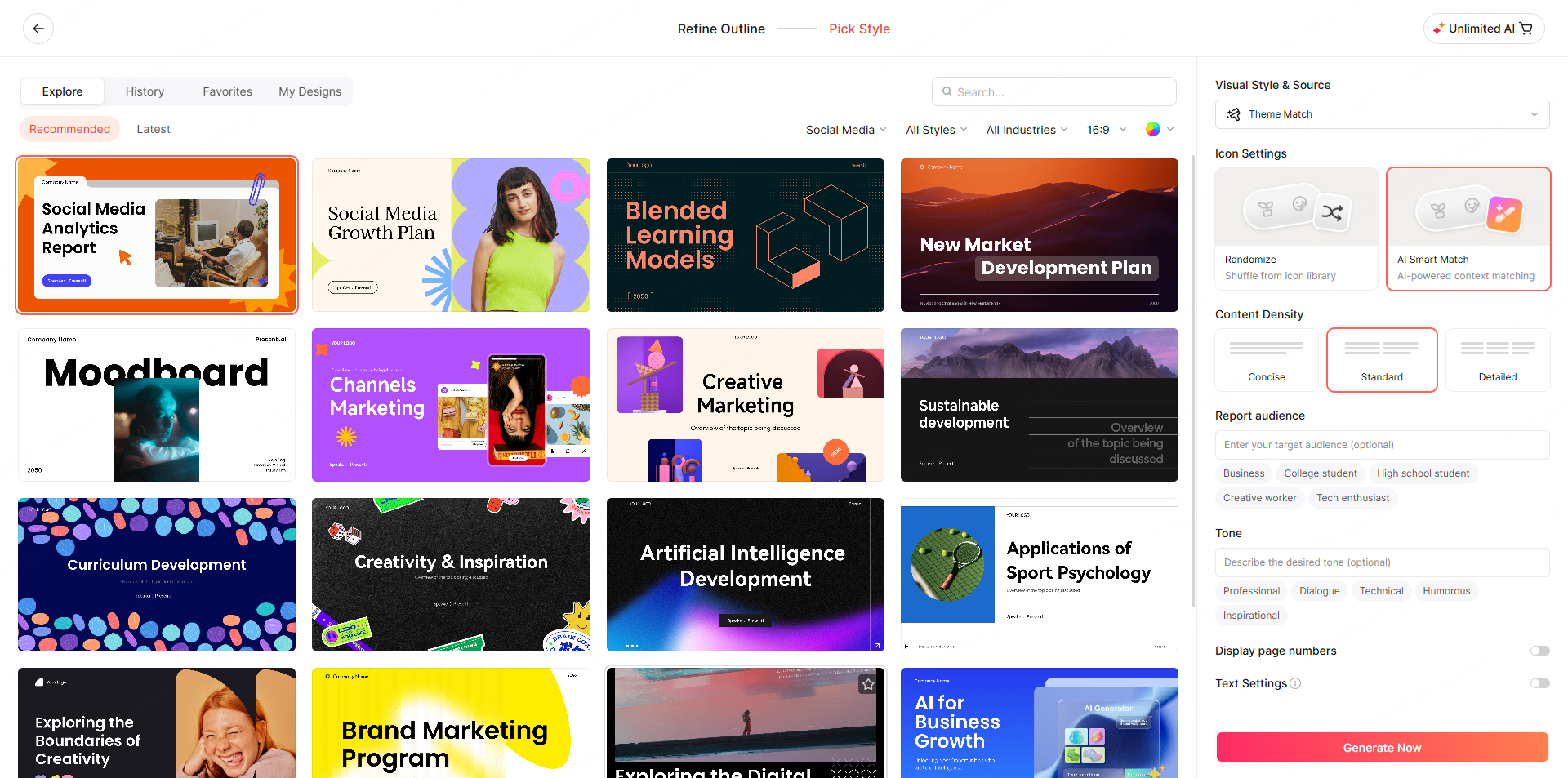
Step 4: Choose a presentation theme.
Once the deck is generated, you can apply any theme from Presenti’s library with a single click. Themes control typography, color palette, background style, and spacing — all updated instantly across every slide. After switching a theme, inspect text fit, contrast, and spacing. Adjust individual slides where the new layout needs refinement.
Step 5: Review, edit, and export.
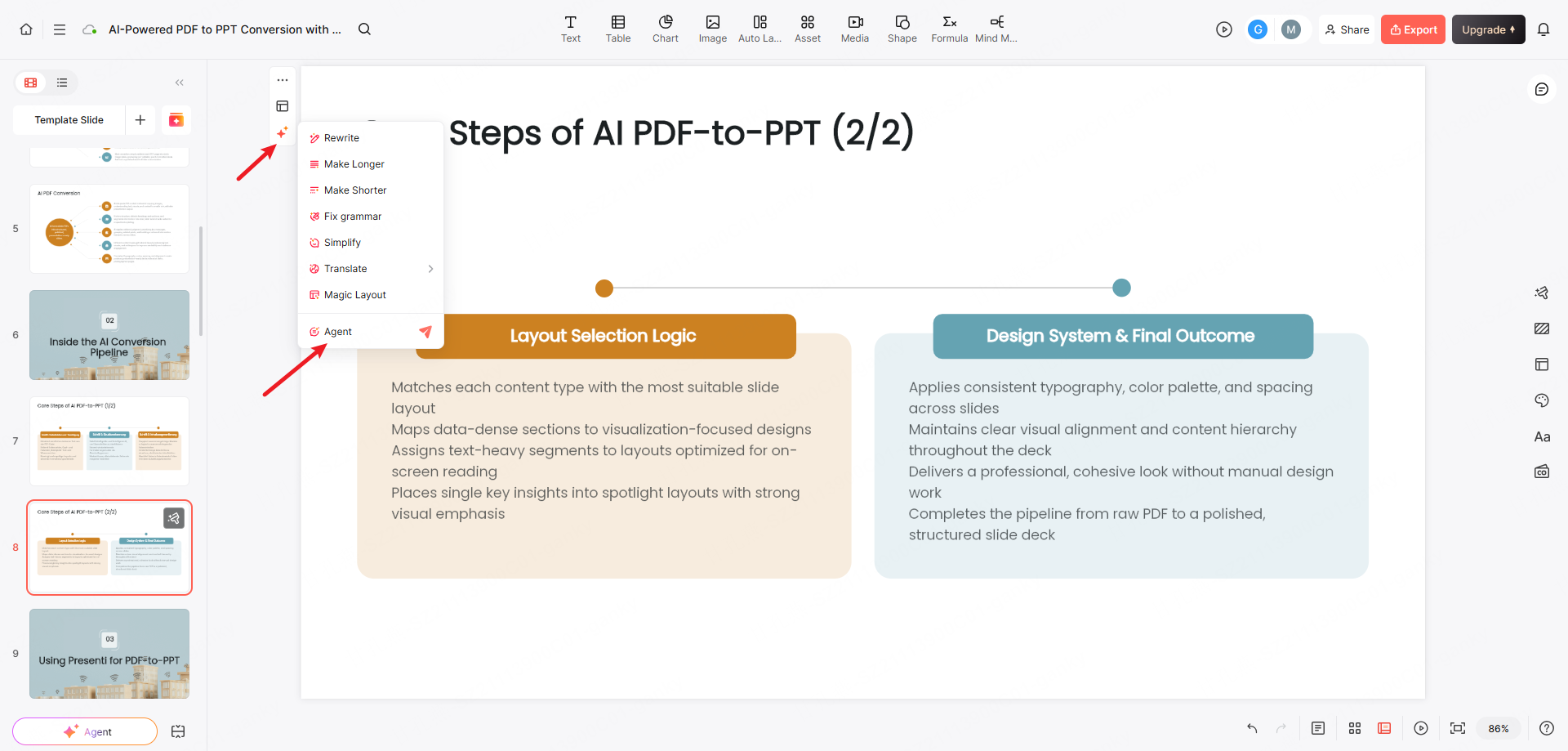
Presenti gives you a visual editor where you can adjust any slide — reorder content, swap layouts, edit copy, or drop in images. When you’re done, export to PPTX for use in PowerPoint or Google Slides, or export to PDF for sharing and printing. Editable PPTX and PDF exports are listed on paid plans. Check the final file in its destination application.
What makes this approach stand out:
- A visual editing workflow. If you can write Markdown, you can use Presenti. There’s no new syntax, no configuration files, no CLI commands to memorize.
- AI-driven layout intelligence. Presenti doesn’t just copy-paste your text into slide boxes. It interprets your content structure and makes real design decisions — font sizing, content grouping, visual hierarchy.
- One-click theme switching. Change the entire visual identity of your deck in a single click. Switch from a clean, minimal style to a bold, high-contrast theme without touching a single slide manually.
- Designed starting point. Evaluate the generated hierarchy, spacing, and text density, then revise the draft for the audience.
- Full editability after export. The PPTX output is a native PowerPoint file. Inspect the exported objects you need to revise, especially charts, grouped elements, and complex diagrams.
Compared to tools like Marp, which require CSS knowledge for theme customization and a code editor setup, Presenti removes the technical barrier entirely. Compare the full process with your existing Markdown workflow, including source corrections and export review; this article does not establish a quality or speed ranking.
Best for: Technical writers, developers, and product managers who work in Markdown and want professional presentation output without touching a design tool.
| Method | Working format | What to evaluate |
|---|---|---|
| HTML PPT Studio / html-ppt-skill | Agent-assisted HTML templates | Agent integration, template behavior, external dependencies |
| Reveal.js / Slidev | Code or Markdown with framework features | Build setup, interactive behavior, browser and export requirements |
| Presenti Markdown import | AI-interpreted outline and visual slide editor | Source fidelity, layout controls, and paid PPTX/PDF export |
Conclusion
HTML PPT skill is more than a technical trick. It’s a shift in how you think about presentations — away from rigid, design-by-committee slide software, and toward a workflow that fits the way technically fluent people already work.
Whether you go deep with Reveal.js, import Markdown directly into Presenti, plug into an AI pipeline with HTML PPT Studio, or use AI generation with flexible export — the underlying principle is the same: your presentation workflow should serve your content, not fight it.
Here’s where to start based on your situation:
- Need full control and have front-end experience? Start with Reveal.js or Slidev
- Work in Markdown and want professional slides fast? Import your
.mdfile into Presenti and let AI handle the design - Building an AI pipeline or agent workflow? Explore HTML PPT Studio as your generation engine
- Want professional presentation results from any content type? Try Presenti — paste your content and let the AI handle the design
Your HTML PPT skill stack doesn’t have to be complicated. Pick one method, build a template, and use it. The goal is to spend less time fighting your tools and more time communicating clearly.
FAQs
Q1: What exactly is HTML PPT skill?
HTML PPT skill refers to the ability to use web technologies — primarily HTML, CSS, and JavaScript — to build or enhance presentation slides. Rather than using traditional software like PowerPoint, you apply web development knowledge to create interactive, dynamic, and highly customizable slide decks that run directly in a browser.
Q2: Can I import a Markdown file directly into a presentation tool?
Yes. Presenti supports direct Markdown file import. You upload your .md file, and Presenti’s AI converts the content structure into a fully designed slide deck automatically. Headings become slide titles, bullet points become slide content, and the AI applies layout and theme decisions throughout — with content and layout review still required.
Q3: How is Presenti’s Markdown import different from using Marp?
Presenti offers a visual Markdown-to-slides workflow; see the separate HTML-to-PPT guide for conversion considerations — upload a Markdown file or paste a web link, and the AI reads the structure, builds the slide hierarchy, and applies a professional theme automatically. Code-based tools like Marp get you partway there, but theme customization still requires CSS and a local environment. Presenti skips all of that and exports native .pptx files that open cleanly in PowerPoint and Google Slides, subject to inspection of the exported objects and layout.
Q4: What is HTML PPT Studio, and how is it different from Reveal.js?
The MIT-licensed lewislulu/html-ppt-skill repository provides agent instructions and a collection of HTML presentation themes, layouts, and effects. Reveal.js is a presentation framework that can also be used in automated workflows; the distinction is how you choose to author and integrate the slides, not an inability to automate Reveal.js.
Q5: Why would a developer use HTML for presentations instead of PowerPoint?
Several reasons: HTML presentations live in the browser, allowing link-based sharing when hosting, permissions, and dependencies are configured correctly. They support live code execution, real-time data, and responsive layouts — features that may require a different integration in a conventional presentation editor. For developers already fluent in HTML and CSS, building a slide deck in code is often faster and more comfortable than fighting a GUI.