A free AI presentation maker can help you try drafting slides before you commit to a paid tool. The important question is what the free allowance covers: creating a draft, editing it, downloading a file, or some combination of these.
This guide explains how to compare those limits and work from your material to a reviewed slide draft. It also distinguishes trying an AI tool from getting a finished PowerPoint export at no cost. To compare named options, see the six-tool free AI presentation comparison, which separates access to drafting, editing and downloadable files.
What Is a Free AI Presentation Maker?
A free AI presentation maker offers some access to slide-generation features without an initial payment. Depending on the product and plan, it may accept a prompt, text, or a document and produce an outline or designed slides. The included usage and export options vary.
Broader surveys such as McKinsey’s research on AI adoption discuss how organizations use AI; they do not establish how much time this slide workflow will save you. Compare tools on the same source material and include the time needed to correct their output.
AI Drafting or Manual PowerPoint: Which Fits the Task?
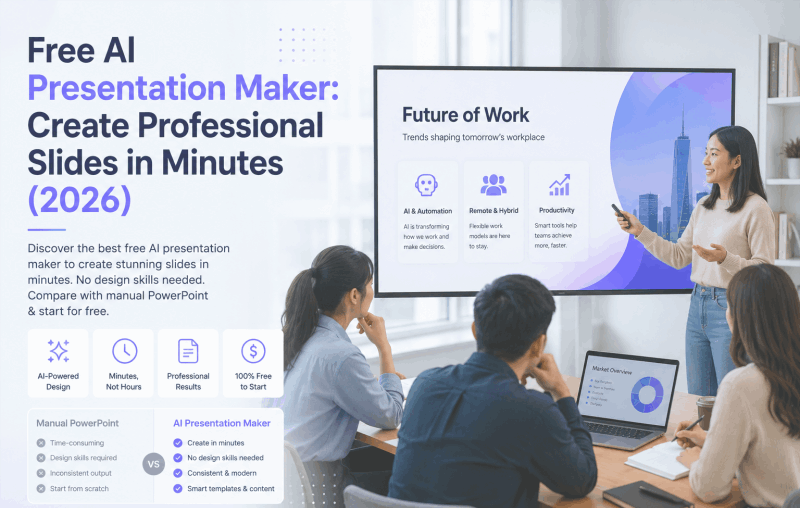
Manual editing gives you direct control over the structure and design. AI drafting may help when you need an initial outline or want to reorganize a source document. Both routes require checking the result.
The practical tradeoffs depend on the deck and the tools you already use:
| Factor | Manual PowerPoint workflow | AI presentation workflow |
|---|---|---|
| First draft | You arrange the content yourself | The tool proposes an outline or slide draft |
| Review work | Check your text, visuals, and calculations | Also check generated claims and omissions |
| Design control | Direct control through the editor and templates | Available layouts and editing options vary |
| Visual consistency | Use themes and slide layouts consistently | Check the generated deck for exceptions |
| Export | Depends on the application and account | May require a paid plan even when generation is free |
| Cost | Depends on the software and license you use | Free credits, trials, and subscriptions have different limits |
For a short, highly specific deck, editing an existing template may be enough. For a long report, an AI outline can help you decide what to include. Choose the route that reduces the work you actually have, including review and export.
Key Features to Look for in a Free AI Presentation Maker
Before you spend time building a deck, check which of these features your account includes and which require payment:
- Text-to-presentation drafting: can the tool turn your prompt or outline into a useful structure?
- Document import: are your file type and file size supported on the plan you will use?
- Layout choices: can you choose and adjust layouts that fit your text, figures, and audience?
- Editing: can you change the elements that matter to you, both online and after export?
- Output format: check whether you can download an editable PPTX, a PDF, or only share a web link.
- Template library: A range of styles covering business, education, marketing, and pitch decks
- Branding: check whether the intended output includes a watermark and whether removal requires payment.
You can explore Presenti AI with limited free credits. Its plan page lists PPTX/PDF export among paid features, so free access should not be read as a promise of free downloadable files.
How to Create a Presentation with a Free AI Presentation Maker
Use the following workflow to evaluate a tool on a small, representative deck before moving a large project into it.
Step 1: Choose your input method
Decide how you want to feed content to the AI. You can:
- Type a topic or a detailed prompt (“Create a 10-slide pitch deck for a SaaS startup focused on project management”)
- Upload an existing Word document or PDF
- Paste raw text or a structured outline
Step 2: Select a template or style direction
Choose a style that fits the audience when the tool offers this step. Some workflows ask you to review an outline first. Favor a layout that has room for the content you need rather than selecting by appearance alone.
Step 3: Generate your slides
Generate the first draft and inspect the result. Processing time and usable output vary with the source, requested length, and tool; a quick generation does not mean the presentation is finished.
Step 4: Review and refine
AI output is a draft. Go through each slide and:
- Adjust any phrasing that doesn’t match your voice
- Swap images or icons if the tool supports media libraries
- Reorder slides if the narrative flow needs adjustment
- Tweak colors or fonts to match your brand
Step 5: Export and present
If your plan allows it, download a PPTX and open it in PowerPoint to check the layout and editability. If you only need a PDF or a shared web link, confirm that the corresponding option meets your delivery requirements.
The workflow is complete when the output fits the task and the claims have been checked, not when a generation timer finishes.
Free AI Presentation Maker vs. Paid Alternatives: What Do You Actually Get for Free?
“Free” can mean a permanent limited plan, a one-time credit allowance, or a time-limited trial. For a concrete credit-based example, the Dokie review separates expiring bonuses from the credits used for generation and revision. Ask these questions before choosing:
- How much AI usage is included, and does the allowance renew or expire?
- Which templates and input formats are available without payment?
- Can you download the format you need, or only preview and share the draft?
- Can you continue editing after the trial or credit allowance ends?
- Does the output include required branding, and what are the terms for removing it?
Presenti’s plan details describe limited free AI credits and paid editable downloads. Check the membership and export options shown in your account before planning a no-cost delivery workflow.
For a one-off assignment, the required output matters more than a long feature list. For recurring work, compare the ongoing allowance and total cost.
Best Use Cases for a Free AI Presentation Maker
The versatility here is worth spelling out, because most people only think about one or two scenarios.
Business professionals can draft reviews, pitches, and team updates from an approved brief. Check company figures and make the decision or request clear.
Educators and trainers can reorganize lesson notes into a slide outline. Check the explanations, reading level, and activities before teaching from the draft.
Startups and entrepreneurs can explore a pitch structure before investing in detailed design. The business model, market evidence, and financial assumptions still need to come from their research.
Students can use permitted tools to organize source material and practice presenting it. Follow the assignment’s AI rules and mark quotations and sources correctly.
Content creators and marketers turn blog posts, reports, and research summaries into shareable presentation formats for LinkedIn, webinars, or client deliverables.
Using Presenti for a Slide Draft
Presenti offers workflows for building a draft from a topic or source material. Start with a clear objective, review the outline, and choose a layout that fits the content.
Features to assess in your own workflow include:
- Input options: text and supported document formats, subject to the options available in your account.
- Slide structure: review whether the generated outline preserves the important points and their order.
- Templates: choose a suitable design and check which templates your plan includes.
- Editing: test a text, image, and chart change before relying on the workflow for a finished deck.
- Export: verify the format and any branding in a test download; generation access and export access are different benefits.
If you are comparing Gamma alternatives or other PPT AI tools, use the same brief and output requirement for each. Compare the corrections needed as well as the initial appearance.
A useful trial produces evidence you can inspect: the source brief, the generated draft, the changes you made, and the final output. That is more informative for your decision than a general claim about how much faster AI is.
Common Questions About Free AI Presentation Makers
Is a free AI presentation maker actually free, or are there hidden costs?
Some tools provide a limited free allowance; others offer a trial. File import, premium templates, export, or watermark removal may be separate paid benefits. Check the specific workflow you intend to complete.
Can I edit the slides after AI generates them?
Editing options depend on the tool. Check that you can revise the text, replace visuals, and change the order. Review the generated draft before using it, even when its layout looks finished.
Does the output work in PowerPoint?
A PPTX export can be opened in PowerPoint, but verify that your plan includes it. Test fonts, object editability, and layout in the exported file before you commit to the tool.
Do I need design experience?
A template or generated layout can help you start. You still need to review readability, image choice, chart labels, and the order of ideas. Design assistance does not remove those decisions.
Start with a Small Test Deck
Choose a short brief with the kinds of content you use most: perhaps a chart, a table, and a few paragraphs. Try the drafting and editing steps, then confirm the final delivery format.
Continue with the tool if it reduces the work you need to do without losing accuracy or control. A manual template remains a reasonable option when it fits the task better.
Try a draft in Presenti and review the result against your brief. Check export access before relying on the draft for a PowerPoint delivery.